Tutorial
Computational tokens: one number that drives the whole system
Most design tokens are flat values you edit by hand. Computational tokens are formulas that derive their value from other tokens, so a single change at the base re-flows everything downstream. Here is how they work, why we base ours on 16px, and how to build your own.
Most design tokens are flat numbers. padding.default is 8px, radius.default is 8px, and each one is a value someone typed in. That works right up until the day you want everything a little tighter, or a little more generous, or you inherit a brand that runs on a different rhythm. Then you are hunting through dozens of values, changing each by hand, and hoping you did not miss one. For a design lead that is a slow, error-prone rebrand. For whoever maintains the tokens, it is a chore that never quite stays done.
Computational tokens solve this at the root. Instead of holding a fixed number, a computational token holds a formula that derives its value from another token. Change the value it depends on and it recomputes, and so does everything that depends on it. Every Zaklad project ships with a computed scale already wired up, so this is working in your system from the first day. This guide covers what these tokens are, why the default scale starts at 16px, how the cascade gives you a single master control, and how to build formulas of your own.
What a computational token is
A normal token stores a value: 8px. A computational token stores an expression that resolves to one. Rather than 8, it holds something like {foundation.dimension.base} * 50, and the platform evaluates it to a real number. References are written in curly braces using the token's full path, {layer.group.name}, so a formula always points at a named token rather than a copied figure. There is one source of truth, and the maths can never quietly disagree with it.
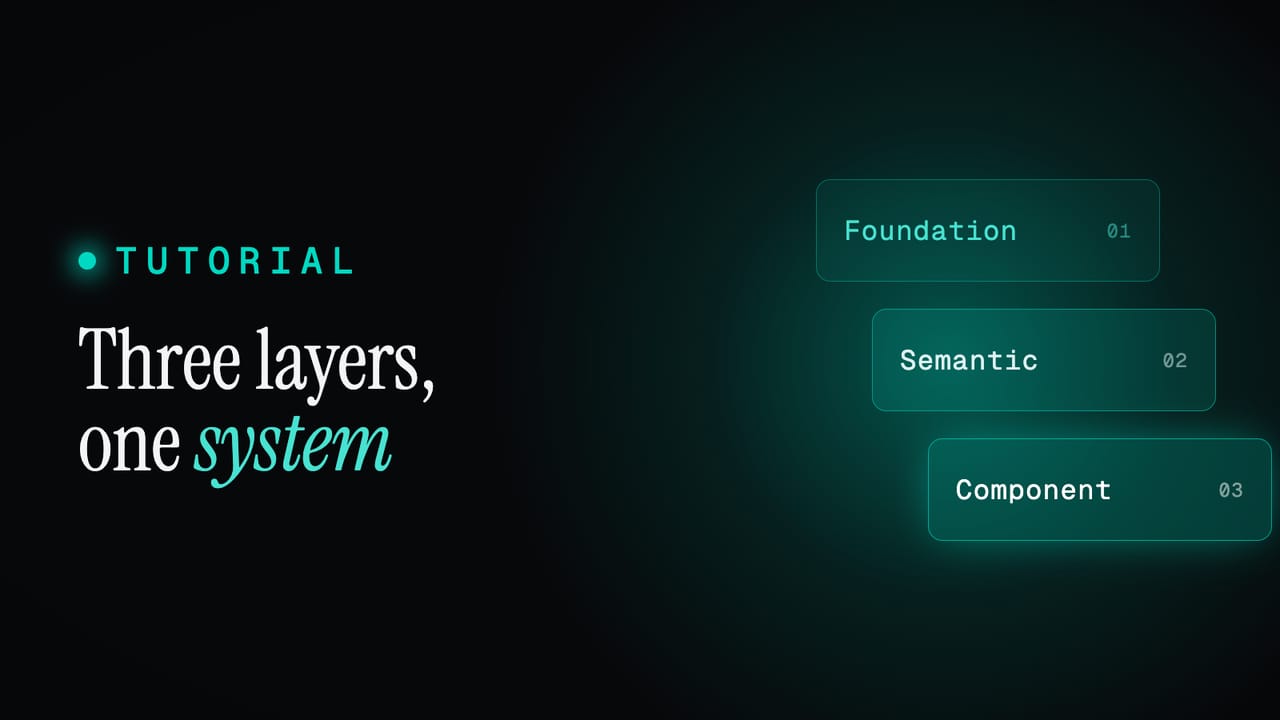
Tokens in Zaklad live in three layers. Foundation holds the raw material of the system. Semantic names that material by role, like text or border. Component maps it onto specific parts. Computational tokens are available in the foundation layer only, and only on dimension tokens, the ones measured in px, rem and the like. That restriction is deliberate. Foundation is where raw quantities are defined, so it is the right place to express how they relate. Semantic and component tokens do not compute anything: they reference a foundation token by name and inherit whatever it currently resolves to. The cascade flows through references, and the arithmetic stays at the bottom where it belongs. The layer model itself is covered under the three-layer cascade in the docs, and in the three token layers guide.
Why the scale starts at 16px
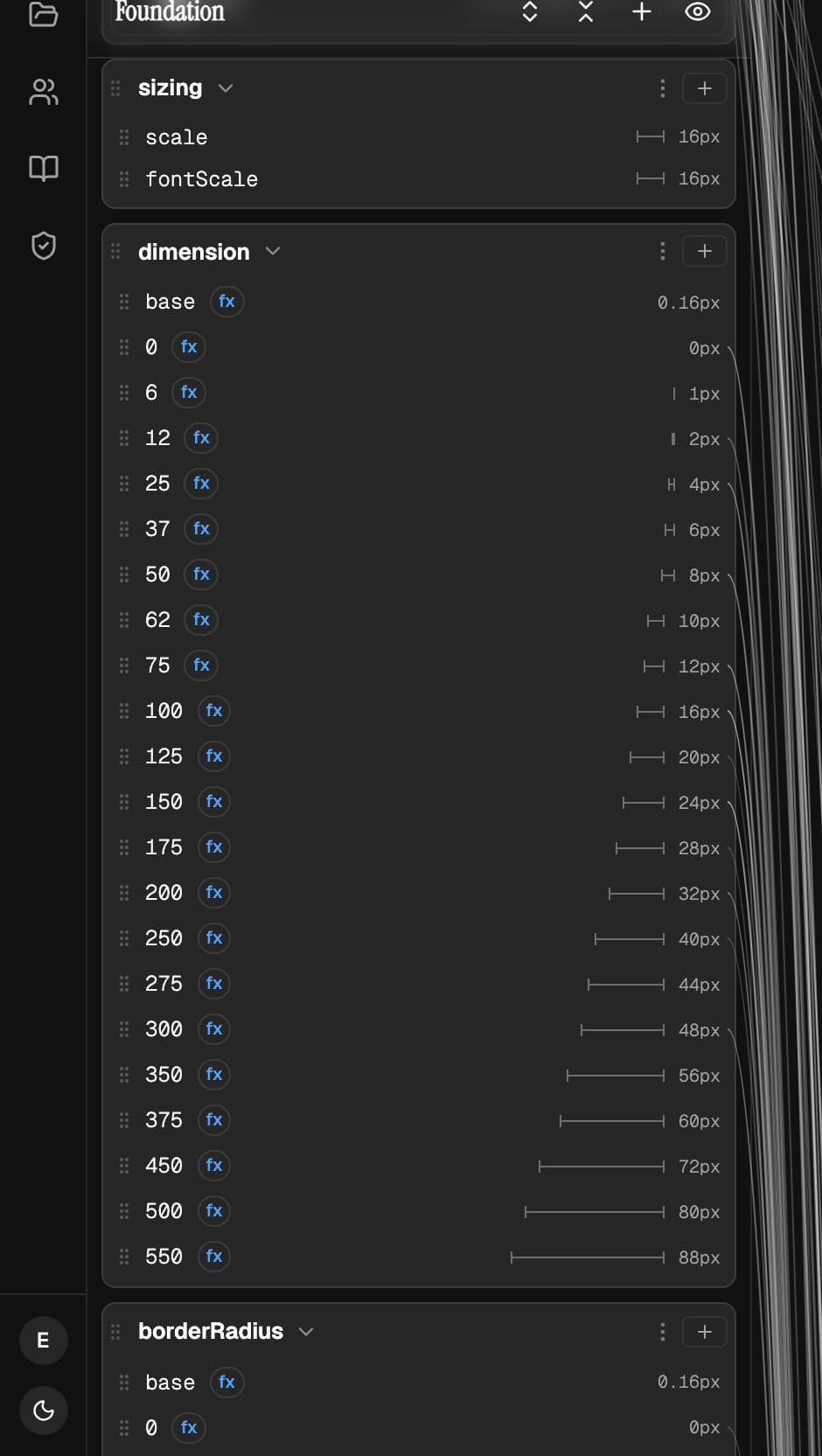
The default scale is built from a single number: foundation.sizing.scale, set to 16px. Sixteen is not arbitrary. It is the default root font size in every browser, which makes 16px equal to 1rem. Anchoring the scale there keeps the arithmetic legible and the output honest. Sixteen is the whole; everything else is a clean fraction or multiple of it. When you read a value back, the editor shows it on every target at once, so 16px reads as 1.000rem on the web, 16dp on Android and 16pt on iOS, with no mental conversion.
The steps in the scale are named for their share of that whole. dimension.100 is the full 16px, dimension.50 is half of it at 8px, and dimension.200 is double at 32px. The number tells you the proportion, the formula guarantees it, and the relationship holds no matter what the base becomes.
The cascade: one number, the whole system
Picture it before the detail. A single base value sits at the top, and the whole scale is derived from it. Each step is the base at a different proportion, so the steps are not five separate decisions, they are one decision expressed five times.
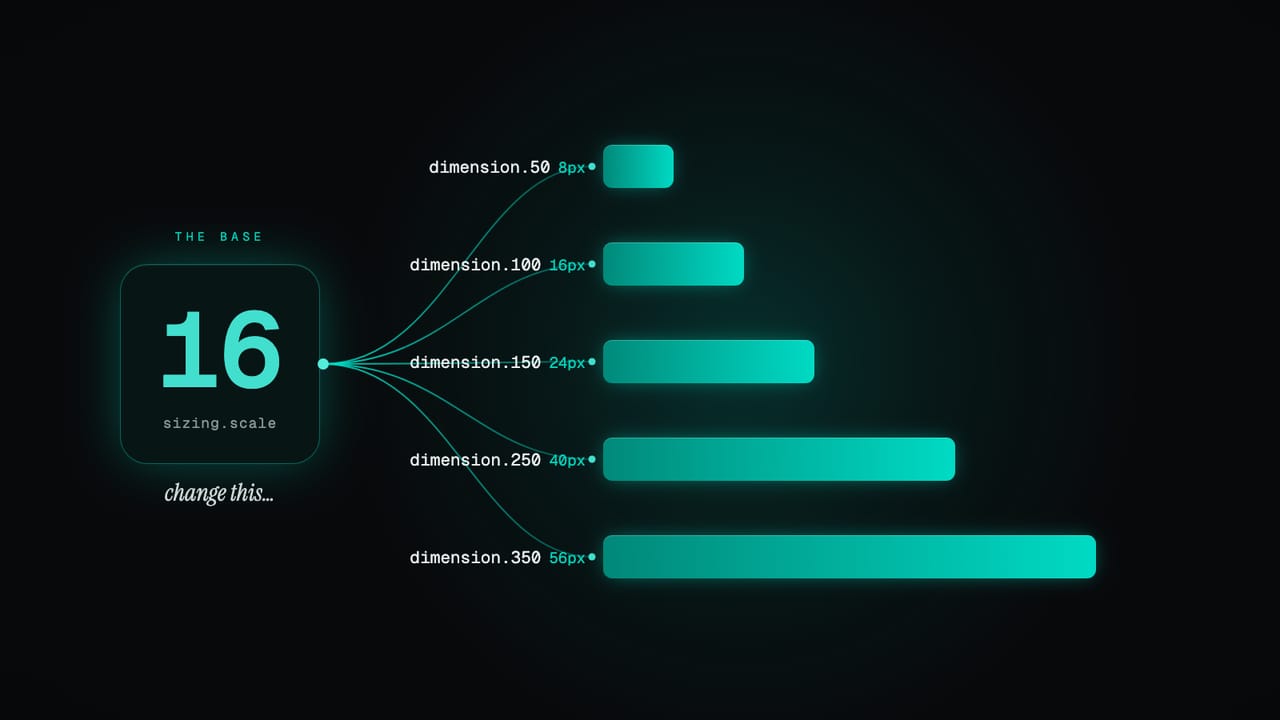
Here is that same chain as it ships by default. The base is static. Everything below it is computed from the step above, so a single edit at the top flows all the way down.
foundation.sizing.scale      = 16            (a plain value, the master)
foundation.dimension.base    = {foundation.sizing.scale} / 100   = 0.16
foundation.dimension.50      = {foundation.dimension.base} * 50  = 8px
foundation.dimension.100     = {foundation.dimension.base} * 100 = 16px
foundation.dimension.200     = {foundation.dimension.base} * 200 = 32px
That single base does more than feed spacing. The same sizing.scale is the root of the dimension scale, the border-radius scale and the border-width scale all at once. Open it in the editor and it tells you so: it is referenced by dimension.base, borderRadius.base and borderWidth.base, and its own note spells out the effect.
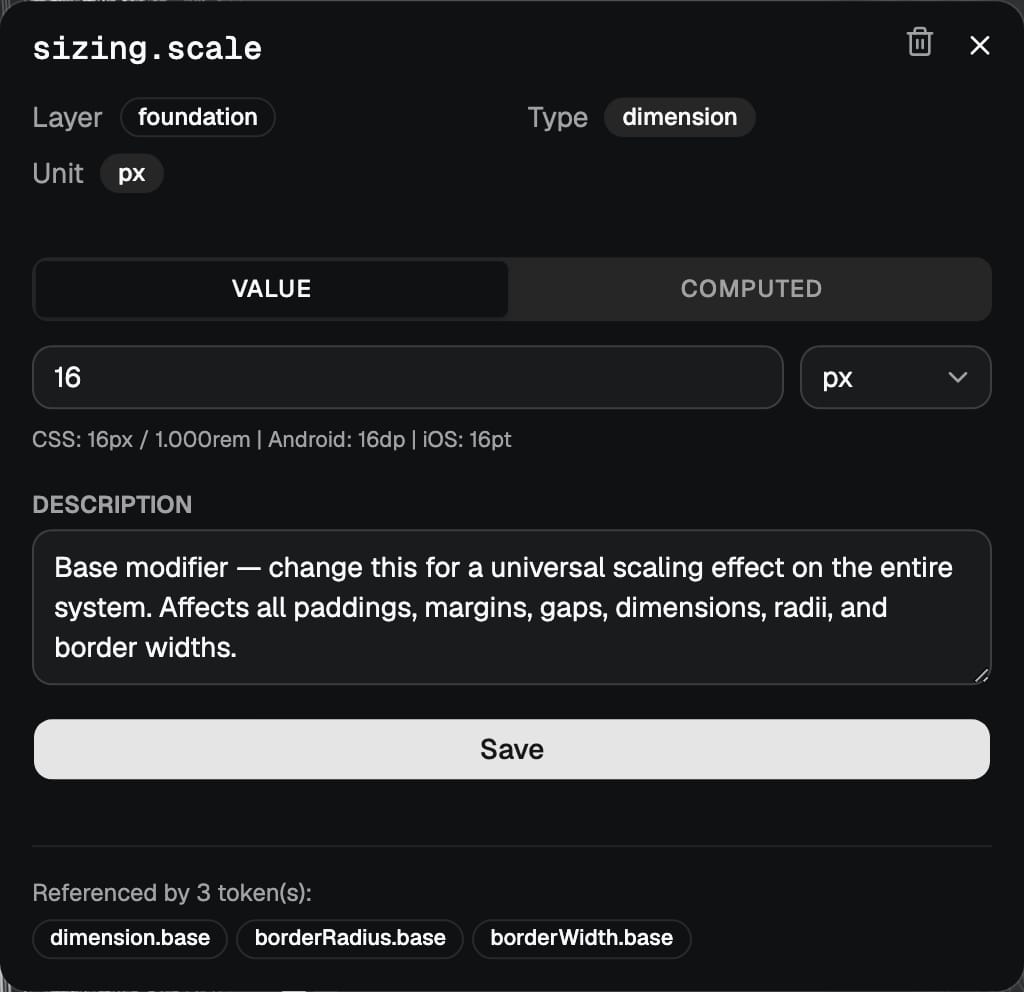
This is the part worth sitting with. Change scale from 16 to 18 and the base recomputes, every step of the dimension, radius and border-width scales recomputes after it, and then every semantic and component token pointing at those steps inherits the new value. One edit rescales the entire system in proportion. No find and replace, no sweep through component overrides, no value left behind. For a design lead that is a whole-system adjustment in a single change. For whoever owns the tokens, it is the difference between a relationship they defined once and a list they maintain forever. The full reference for the computed scale is dimension calculations in the docs.
Model the relationship once and the system maintains itself. The base is the dial; everything else follows.
The point of a computed scale
It is worth seeing in numbers. Suppose a new brand runs a touch more generously and you want everything to breathe. You change one value, scale from 16 to 18, and the scale redraws itself in proportion:
                 scale = 16     scale = 18
dimension.base       0.16           0.18
dimension.50         8px            9px
dimension.100        16px           18px
dimension.200        32px           36px
borderRadius.100     16px           18px
borderWidth.50       8px            9px
Every value moved together, kept its relationship to every other value, and not one of them was touched by hand. The same edit would have been dozens of individual changes in a flat system, with all the room for error that implies.
It comes wired up
You do not assemble any of this yourself. Point a new project at a brand colour and the starter output already includes the computed foundation: the base, the full dimension scale, the radius scale and the border-width scale, every step derived rather than typed. There are two independent bases, by design. sizing.scale drives layout: spacing, dimensions, radii and border widths. A second base, fontScale, drives the type system on its own, scaling font sizes, line heights, letter spacing and icon sizes together. Keeping them apart means you can tighten your layout without shrinking your text, or bump type for a more readable build without disturbing the grid. Scale them separately, or move both, without one dragging the other along.
Building one in the editor
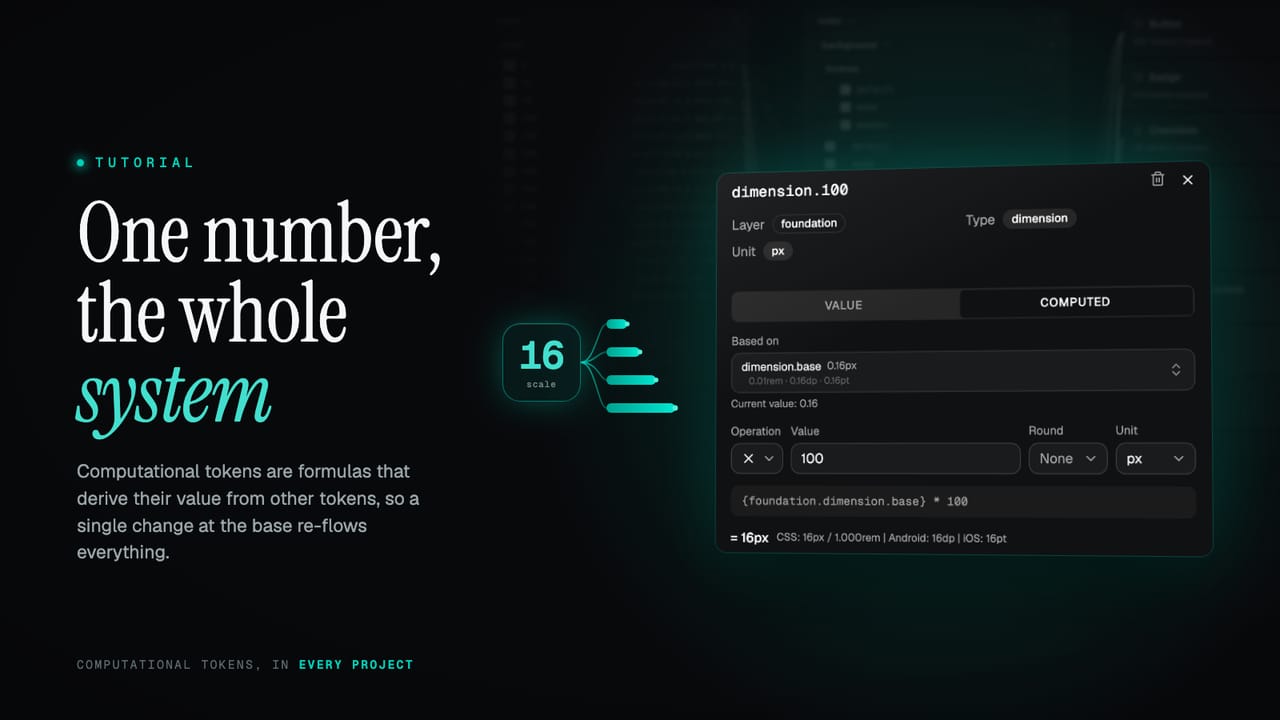
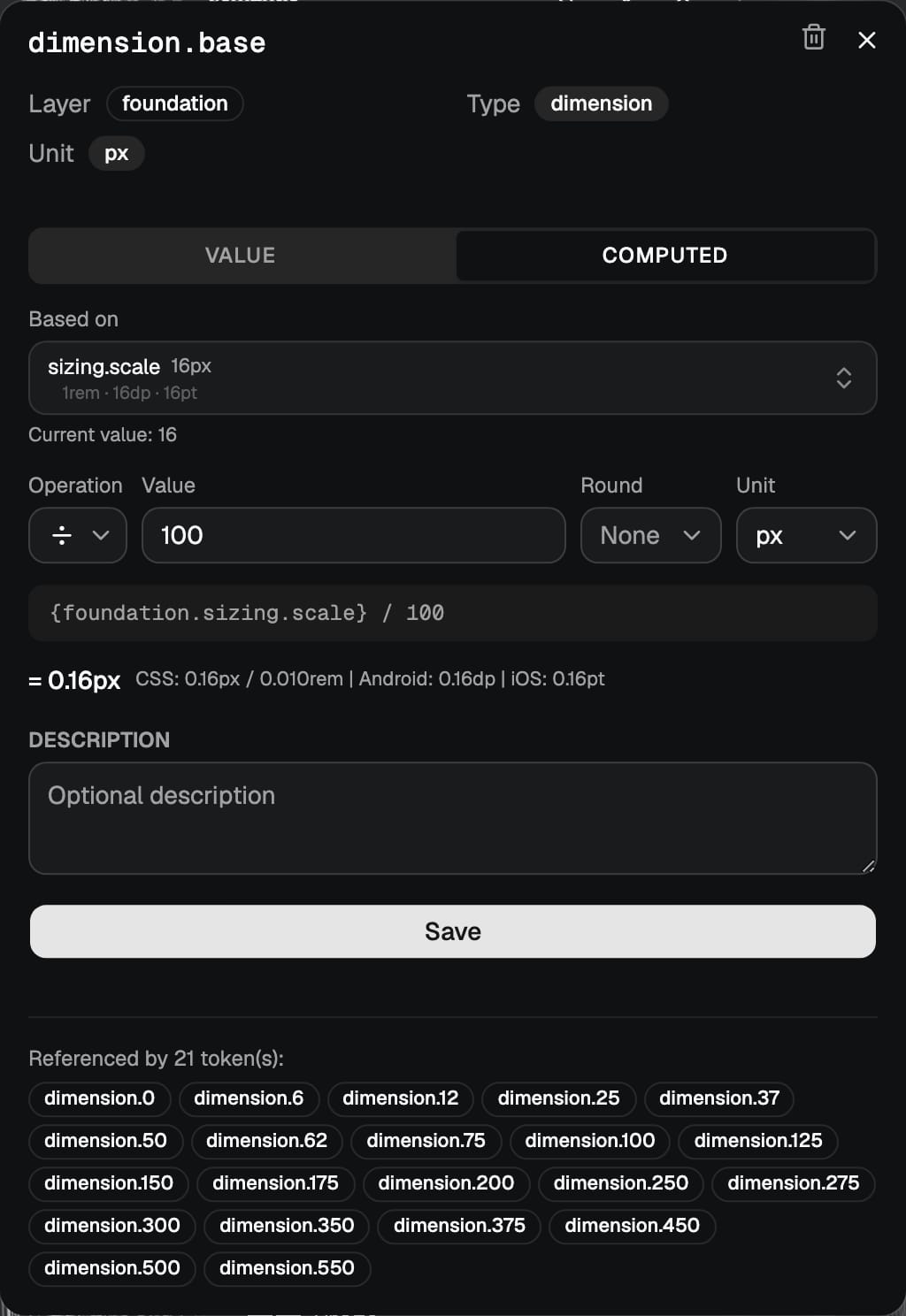
Open any foundation dimension token and you get a VALUE / COMPUTED toggle. VALUE is a plain number and a unit. COMPUTED swaps in a small formula builder: a Based on picker for the token you are deriving from, an Operation (multiply, divide, add, subtract), a Value to apply, an optional Round, and the unit. The picker is filtered to foundation dimension tokens, so you can only reference something valid. You are building an expression without typing syntax.
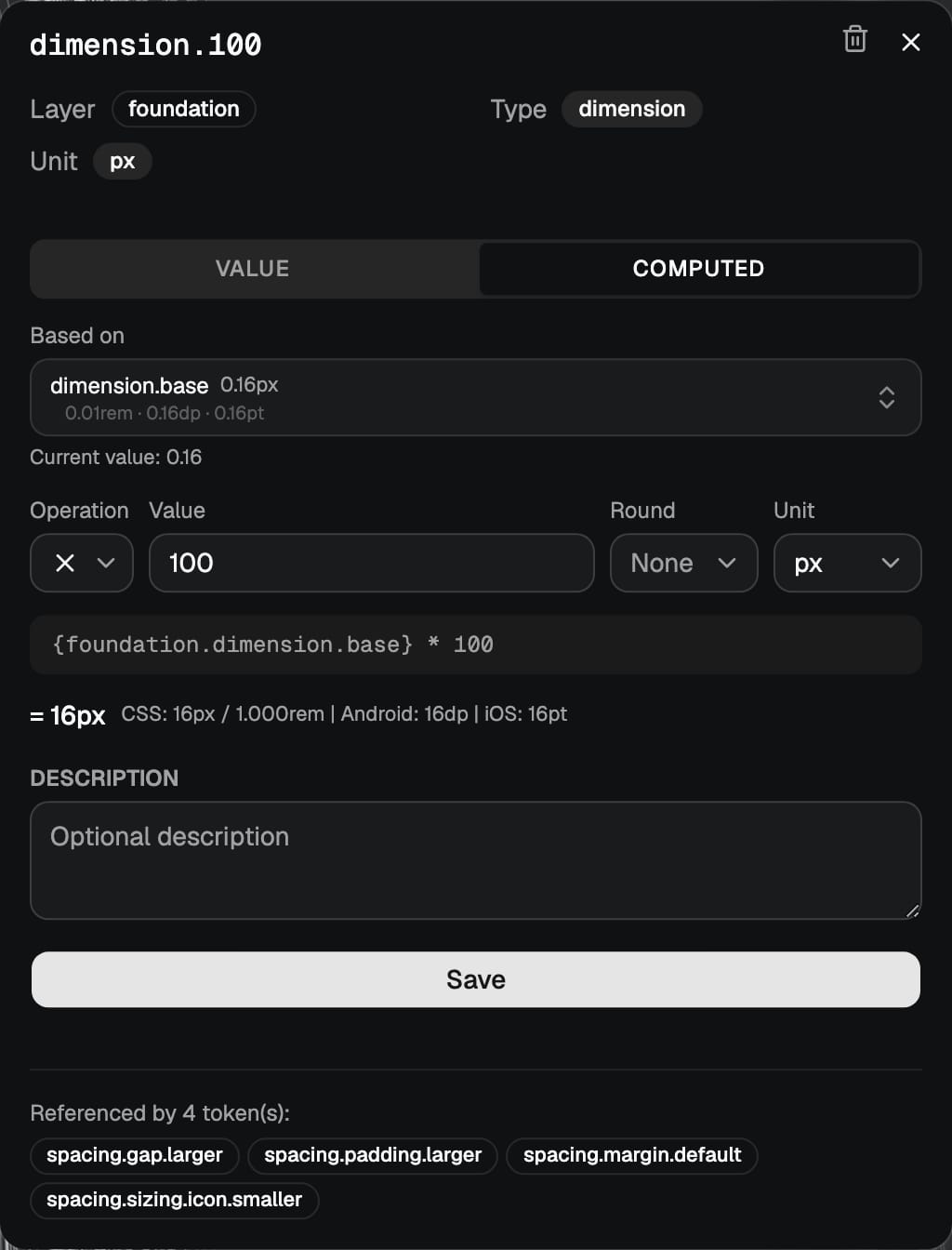
Underneath the controls the editor shows two things: the composed expression, here {foundation.dimension.base} * 100, and the live result, = 16px, with the cross-platform values beside it. You are never guessing what a formula will produce. The maths is read back to you as you build it, and if a reference is wrong the result says so instead of resolving to something misleading.
Chaining, as deep as you like
A computational token can be based on another computational token, not just a plain value. The default scale already does this: it is two hops deep. sizing.scale is the plain base, dimension.base divides it by 100, and every step multiplies dimension.base back up. The middle token exists so there is one place to adjust the granularity of the whole scale.
You can chain as far as you want. There is no depth limit. The platform works out the dependency order and evaluates each token after the ones it relies on, and if you ever create a loop, where A depends on B and B depends back on A, it catches the circular reference and refuses it rather than spinning. Build the chain that matches how your system actually thinks, and let the evaluator keep it consistent.
The default is only an example
The scale we ship is one sensible opinion, not the only one. The formula field takes real arithmetic, so you can model whatever logic your system runs on. You get the four operators, parentheses for grouping, and a set of functions for shaping the result:
+,-,*,/with the usual precedence, and parentheses to override it.round,floor,ceilto land on whole pixels.min,maxto bound a value, andclampto keep it inside a range.
// a fixed step instead of a proportion
{foundation.sizing.scale} + 4

// a denser control, rounded to a whole pixel
round({foundation.dimension.base} * 44)

// never let a derived size fall below 2px
max({foundation.dimension.base} * 12, 2)
Whatever you write becomes part of the same cascade. A formula you author is no different from a default one: it recomputes when its inputs change, and anything referencing it inherits the result.
Tweak one, or change everyone
That gives you two moves, and both are a single edit. To adjust one value for a specific need, change that token's formula on its own, say a compact control that wants * 44 where the scale would give * 50. To shift the whole system, change the base and let it cascade. Same mechanism either way: a precise local override when you want exactly one thing different, or a global rescale when you want everything to move together in proportion.
What the rest of your system sees
All of this lives in the editor. The moment a value leaves the project, in your DESIGN.md, an export, or a generated code package, the formula has already resolved to a plain number. A computed 16px arrives downstream as 16px, with no expression attached and nothing to evaluate. Your teammates and tools never have to understand the maths behind a value; they receive clean, final numbers.
That split is the whole point. The formulas are an authoring convenience, the part that keeps the system coherent while you work on it. What ships is just values. You get the leverage of a derived scale without pushing any of that complexity onto whatever consumes your tokens, whether that is a developer, a generative design tool, or a hand-off to another team.
Try it on your own scale
The quickest way to feel this is to change the dial and watch. Open a project, find foundation.sizing.scale, and nudge it from 16 to 18. Every spacing step, radius and border width recomputes, and the components built on them follow without another edit. That is the whole idea of a computed foundation: define the relationships once, keep one number as the master, and let the system stay consistent on its own.
No system yet? Point a new project at a single brand colour and you get the full computed foundation to start from, ready to retune. Start a project and open the scale, read why this approach scales in the docs, or see what else the platform does on the features page.